 Voicely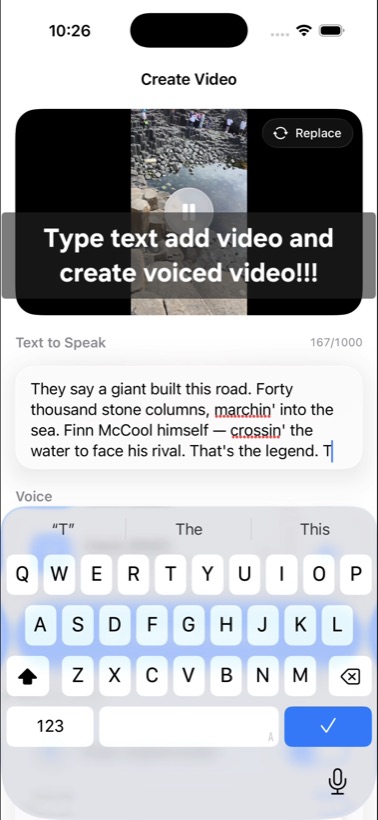
00:04 — how it works
You write the text. Voicely says it over your video.
STEP 1
Pick a video
Any clip from your gallery.
STEP 2
Write the text
What you type is what gets spoken.
STEP 3
Tap Generate
Voilà — your video, voiced.
00:06 — what you get
Small app. Real voices.
[+]
Natural AI voicesEnglish, Russian and German — picked for how they read real sentences.
[+]
Preview before you commitHear the voice on your text first, then render the video.
[+]
Speech speed ×0.5 – ×2.0Slow it down for tutorials, speed it up for reels.
[+]
Mix or replace audioKeep the original sound under the voiceover, or swap it out entirely.
Your video never leaves your phone. It is processed on-device — only the
text you type is sent out, to generate the voice. No tracking.